Phone to Windows input
Use your phone's built-in dictation in any Windows app.
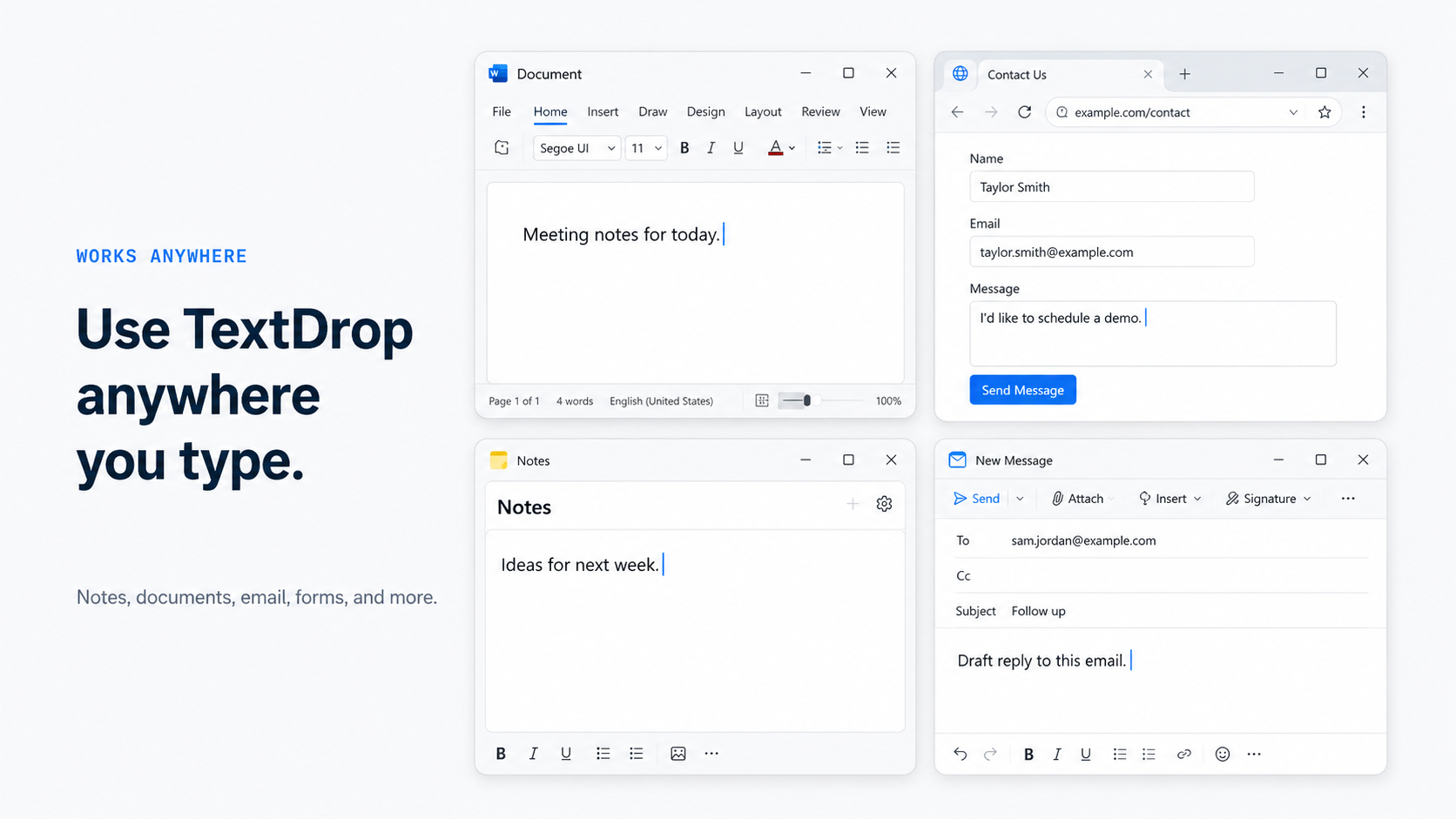
Review and edit on your phone, then send the text wherever your cursor is. AI chats, Word, email, note apps, or anywhere you can type.
Everyday use
Speak on your phone, drop the text into your PC.
For when talking to your computer isn't an option. Hold the phone close, speak quietly, and no one around you hears a thing.
Review before you send
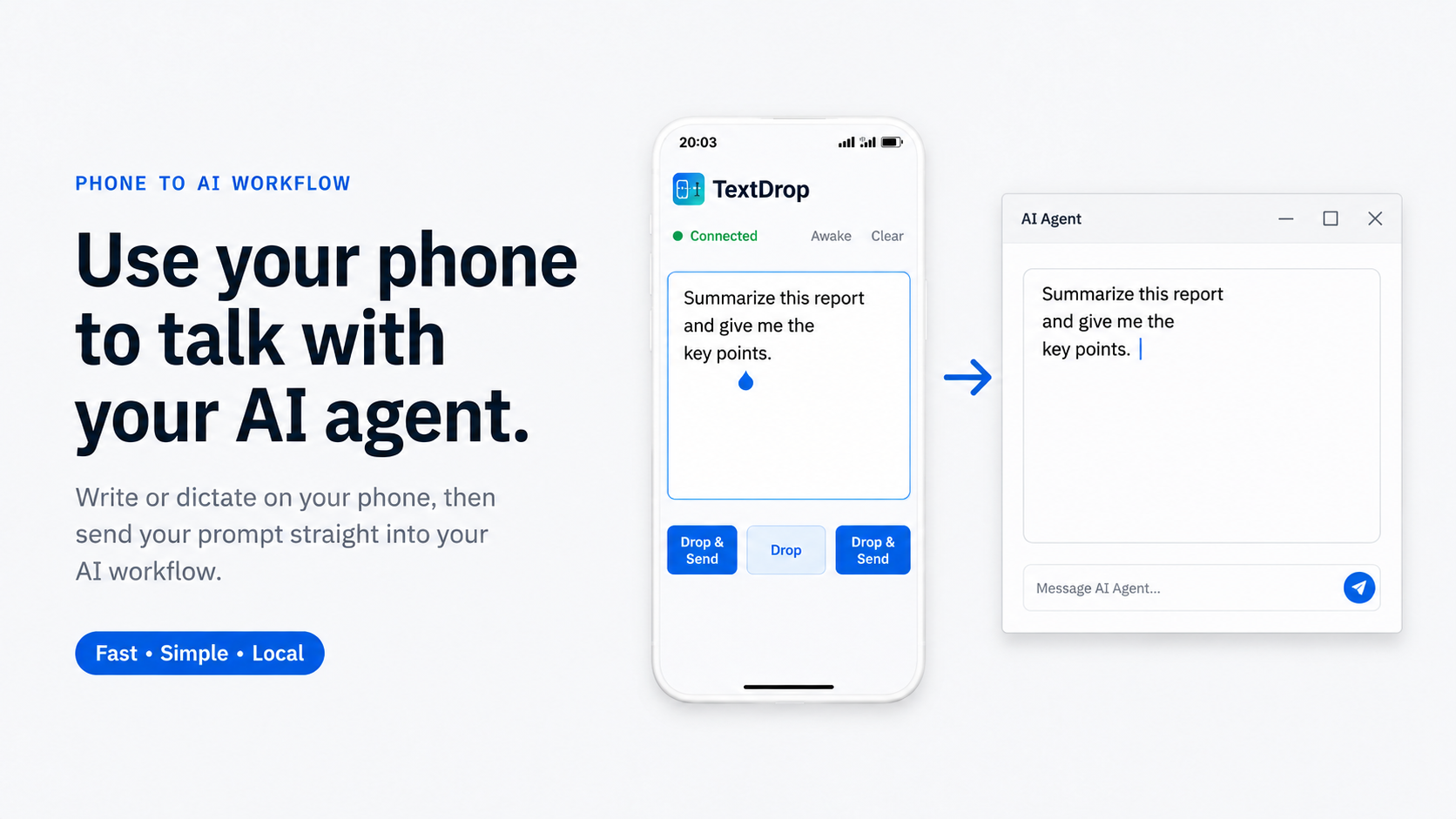
Review the text on your phone before it reaches Windows.
Nothing goes out half-said. Dictate on your phone, read it back and fix it there, then drop it straight into the app you're using on Windows.
How it works
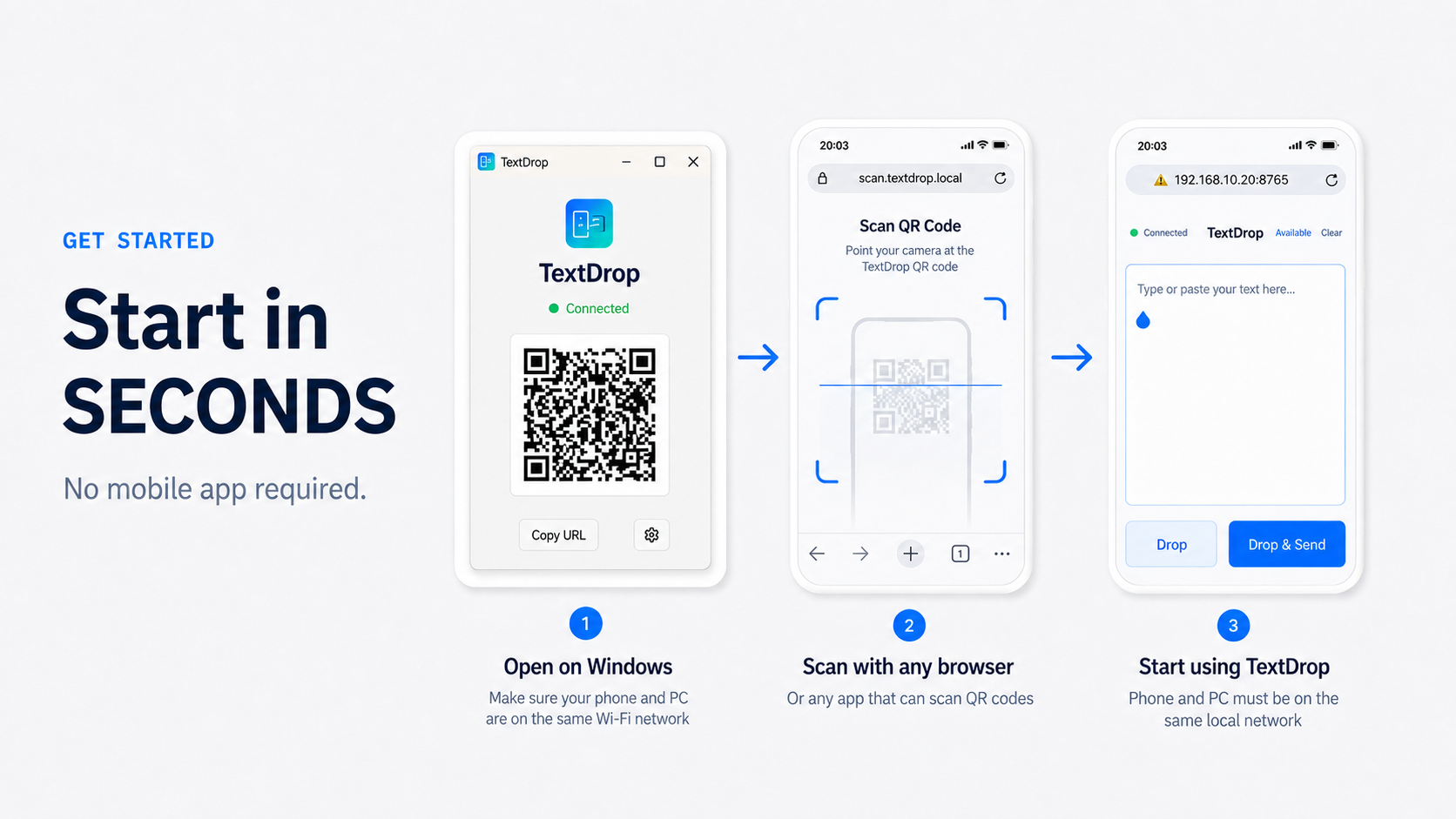
From your phone to your cursor in three steps.
Core benefits
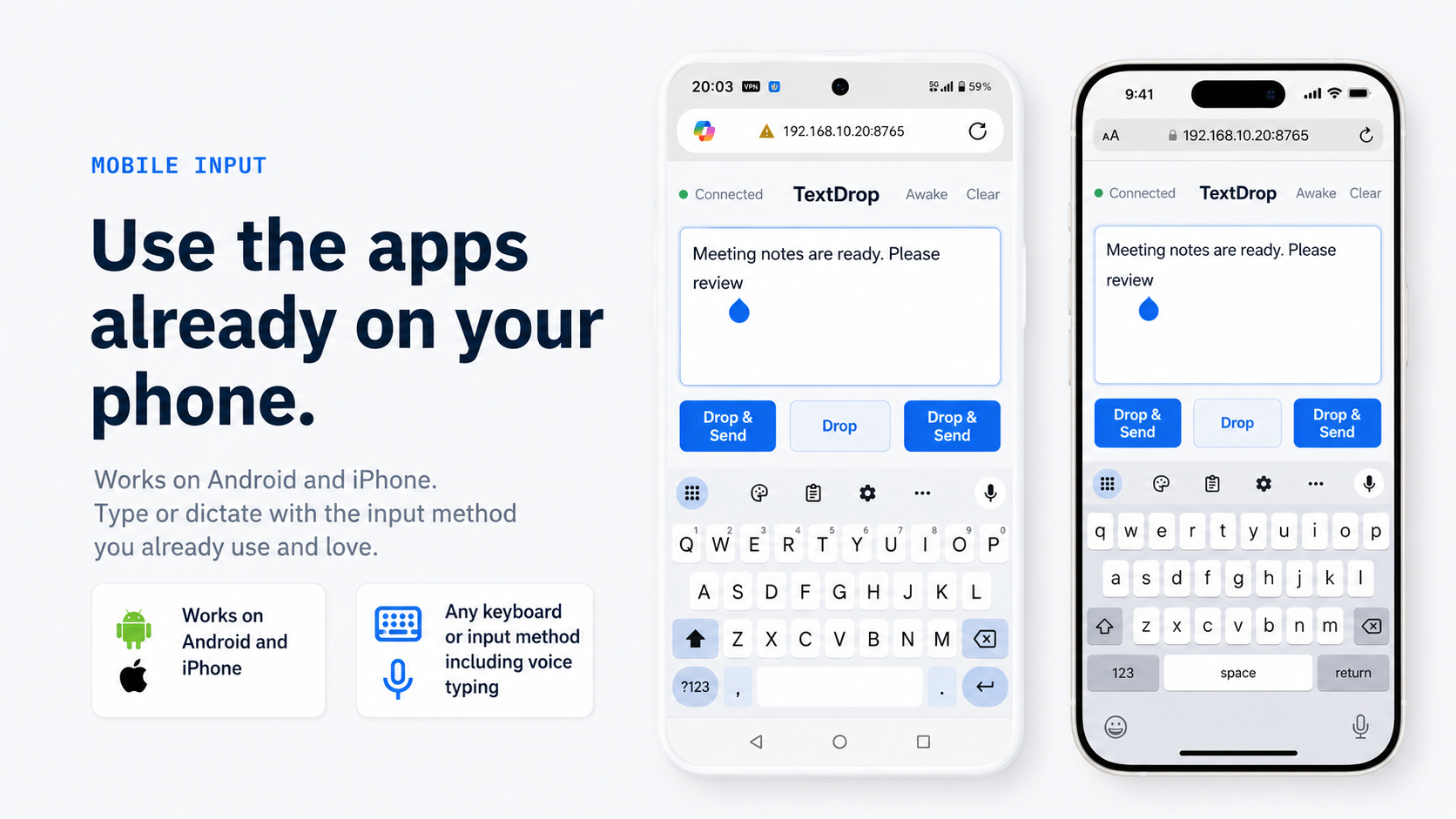
Any phone, any input method, any Windows text box.
TextDrop turns your phone into an input device for Windows. Keep the keyboard, voice typing, and personal dictionary you already use. The text you finish on your phone lands at your cursor in whatever app is active, not into some separate window.
Use cases
Made for the long texts you write every day.
Privacy & trust
Your text stays on your network.
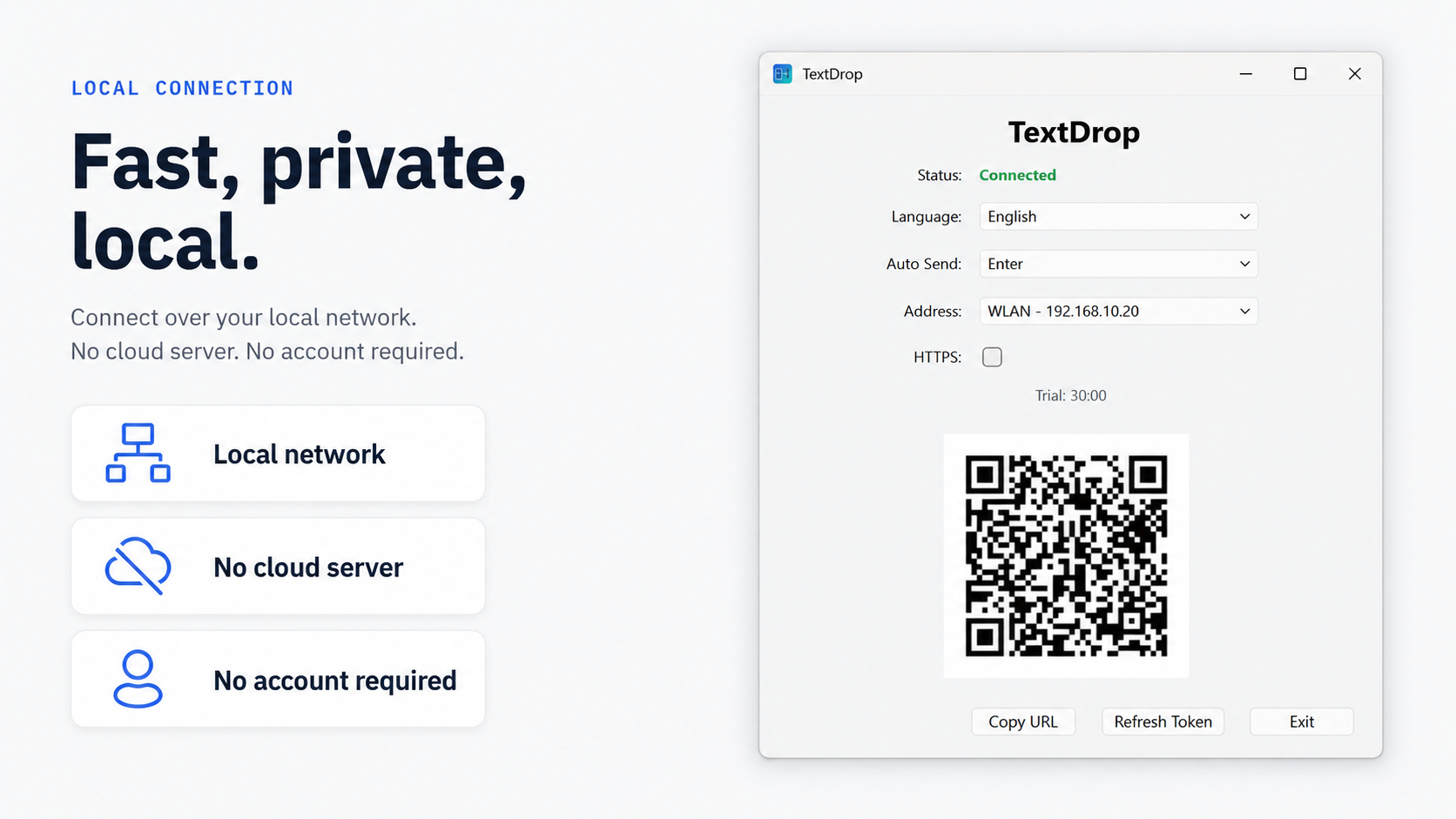
No account. No cloud. No telemetry. Your text moves from your phone to your PC over your local network and nowhere else.
Pricing
One-time purchase. No subscription.
Regular price: US$9.99
TextDrop is live now. The early-adopter price holds through the launch period and returns to US$9.99 after.
- Free to download, with a 30-minute trial before purchase
- Unlimited personal devices
- Free updates throughout TextDrop 1.x
- Discounted upgrades for future major versions
FAQ
Frequently asked questions
Does TextDrop do speech recognition?
No. TextDrop doesn't recognize speech itself — it lets you use the dictation that's already built into your phone, or simply type. Whatever text your phone produces can be sent to Windows.
Which phones and keyboards work with it?
Any phone with a web browser on the same local network as your Windows PC. Any keyboard, swipe input, or dictation method your phone supports works with TextDrop.
Is any text uploaded or stored?
No. Text goes directly from your phone to your PC over the local network. The app doesn't collect telemetry, and there is no cloud storage of your text.
How long can I try TextDrop?
You can try TextDrop for 30 minutes, starting after your first text is successfully sent to Windows. The timer pauses when you close the app.
Is TextDrop available now?
Yes — TextDrop for Windows is live on the Microsoft Store. Download it free and try for 30 minutes; the one-time purchase (US$4.99 early-adopter) unlocks the full license.
What about text that's already on my phone?
You can paste it into the phone page and send it, but for existing text your phone's clipboard sync or a cloud clipboard is usually faster. TextDrop is for text you haven't written yet: compose it on your phone, check it over, then send it to Windows.
TextDrop for Windows is live.
Download it now from the Microsoft Store — try free for 30 minutes, then unlock the full license for US$4.99 early-adopter. Using a Mac? Leave your email and we'll notify you when macOS arrives.